Icon Map Slicer

Enterprise grade mapping for Power BI

Register for FREE Developer License Get Started

The map slicer for Power BI

Let people filter the whole report by pointing at the map

Icon Map Slicer is a full mapping visual that works as a slicer. Draw circles, icons, heatmaps, hexagons, 3D columns, flows and boundaries from your data, then let readers click, lasso, circle or pan the map to filter every other visual on the page. The selection stays put while they explore the rest of the report.

Seven ways to select

Select on the map. Filter the whole report.

A selection on the map filters every visual on the page, the same way a slicer does, and it stays put while people click around the rest of the report. The map keeps showing everything, with the unselected items faded. Try each tool below: it is a working report.

Press where you want the center and drag out the radius. The distance shows on the map as you drag, just as it does in the visual.

London incidents report
Incidents-
Top borough-
Peak hour-

Add more report pages and Power BI's Sync slicers keeps this selection in step across all of them.

Top 10 boroughs in the selection

Incident data in this example is simulated. Borough boundaries: Office for National Statistics, Open Government Licence.

3D terrain

Your data, draped over the real world

Turn on 3D terrain and every layer follows the ground. Here, Zermatt's hiking trails, railways and cable cars climb toward the Matterhorn on 0.5 m Swiss elevation from the Icon Map Catalog, under swisstopo aerial imagery. Click a trail and it becomes the selection, just as it would filter your report.

Zermatt, Switzerland. Elevation: swisstopo swissALTI3D (Icon Map Catalog). Imagery: swisstopo SWISSIMAGE. Trails, lifts and peaks: OpenStreetMap contributors.

Basemaps

Your data, on the basemap that suits it

More than 35 professionally designed Icon Map styles come built in, with no keys to manage, from clean data-visualization canvases to night mode and seasonal satellite imagery. Switch styles below and watch the same data take on a new look.

Built-in styles that look the part

DataViz, Positron, Dark Matter, Toner, ten Avenue themes, Ordnance Survey Zoomstack and satellite imagery for summer and winter. Place names in 41 languages, 3D buildings, and show or hide roads, labels, land use and boundaries.

Bring your favorite provider

ArcGIS styles, tiled services and your own web maps, basemaps from the Icon Map Catalog, plus any MapLibre or Mapbox GL vector style such as MapTiler, raster tile servers and OGC WMS services. Offer readers a choice with the basemap picker.

Globe, terrain and light

Spin the world on a 3D globe, drape any basemap over worldwide 3D terrain with hillshading, and set the light, sky, fog and atmosphere to match your story.

Reference layers

Add the context behind the numbers

Layer reference data under or over your own: boundaries from the Icon Map Catalog, your organization's ArcGIS layers, live feeds, OGC services and more. Reference boundaries can double as selection areas.

Icon Map Catalog

More than 30,000 ready-to-use layers, from postcodes to power lines

ArcGIS

Feature, map, image and vector tile services, or whole web maps, from ArcGIS Online, Enterprise and Living Atlas. Drawn with their own symbology, labels, pop-ups and legend

Files and tiles

GeoJSON, TopoJSON, KML and KMZ, CSV, shapefiles and PMTiles, uploaded or linked and refreshed as often as every 10 seconds, plus raster tiles and Cloud Optimized GeoTIFF

OGC services

OGC WMS, WMTS and WFS services, from your own servers or public sources

Select with them

Click a boundary from your own files, PMTiles included, to select everything inside it

Daylight terminator

Day, night and twilight, for now or for any date in your data

Explore the Icon Map Catalog

Enterprise ready

Built for the way organizations run Power BI

Runs everywhere Power BI does

Power BI Desktop, the Power BI service and mobile apps, Power BI Embedded, Publish to web, Power BI Report Server, and government and regional clouds.

Your data stays in your report

Nothing from your report data is sent to Icon Map. Even travel-time areas and place search are calculated inside the visual.

On-premises and air-gapped

Run on Power BI Report Server, fully disconnected if you need to, with the complete basemap set hosted on your own servers.

Any coordinate system

Eastings and northings, State Plane, national grids: around 3,900 EPSG coordinate systems are converted automatically, along with shapefile .prj files.

Scale that keeps up

Load up to 480,000 rows into a single visual and aggregate them on the fly into hexagons, grids or your own polygons.

Speaks your language

The visual follows your report's language in English, German, Spanish, French and Portuguese, with basemap place names in dozens more.

Licensing that fits

Buy per user through Microsoft AppSource, or choose usage-based, capacity, enterprise and Report Server licenses. The free developer license covers Icon Map Slicer and Icon Map Pro.

Selections that stick, across pages

The selection is saved with the report, captured by bookmarks and works with Sync slicers, so every reader picks up where the map left off.

Why Choose
Icon Map?

Our customer success stories

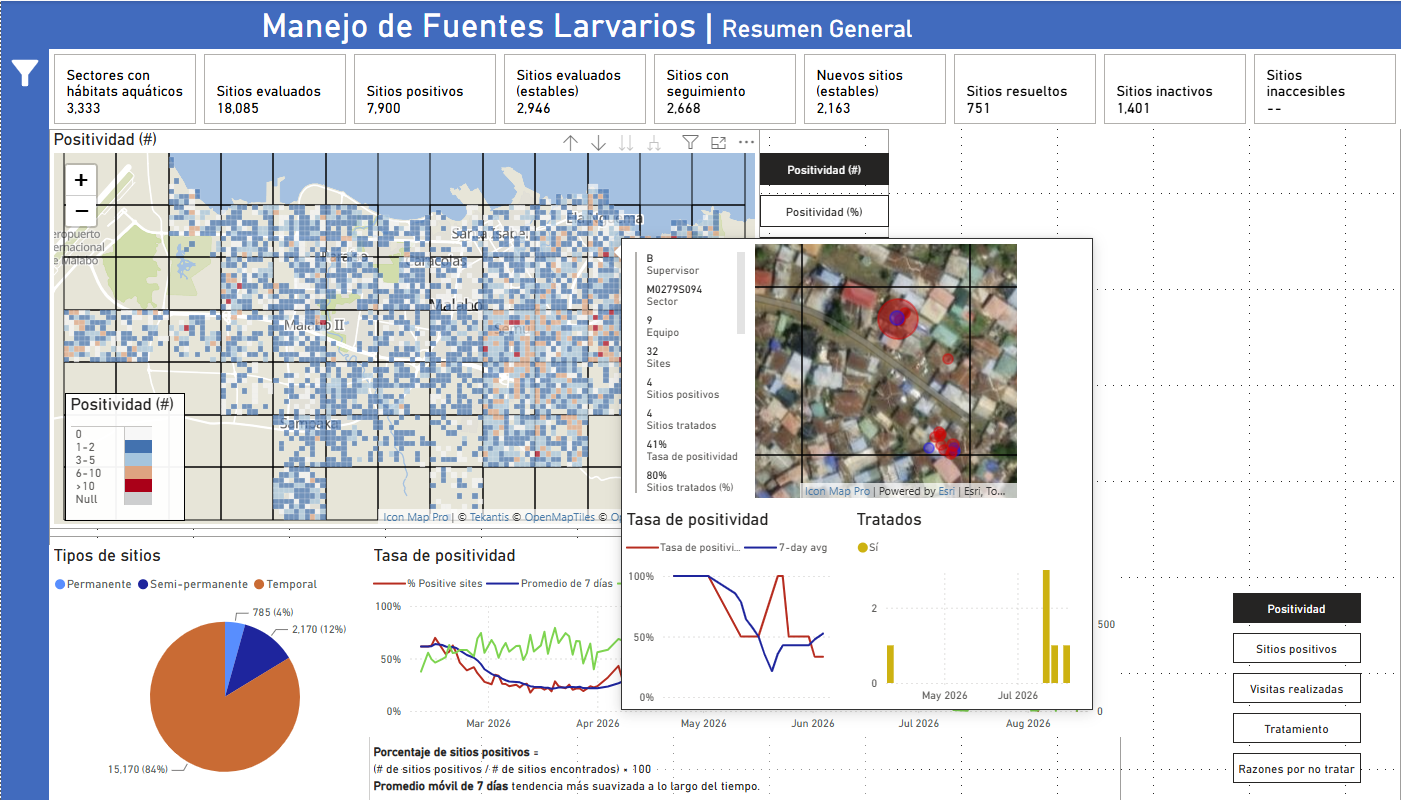
Bringing Malaria Data to Life: How MCD Global Health Uses Icon Map Pro to Power Field Decisions in Equatorial Guinea screenshot

Bringing Malaria Data to Life: How MCD Global Health Uses Icon Map Pro to Power Field Decisions in Equatorial Guinea

MCD Global Health is a public health nonprofit headquartered in Maine, working across more than 50 countries to design and implement health programmes that genuinely change lives. Their international work spans malaria, cervical cancer, health systems strengt…

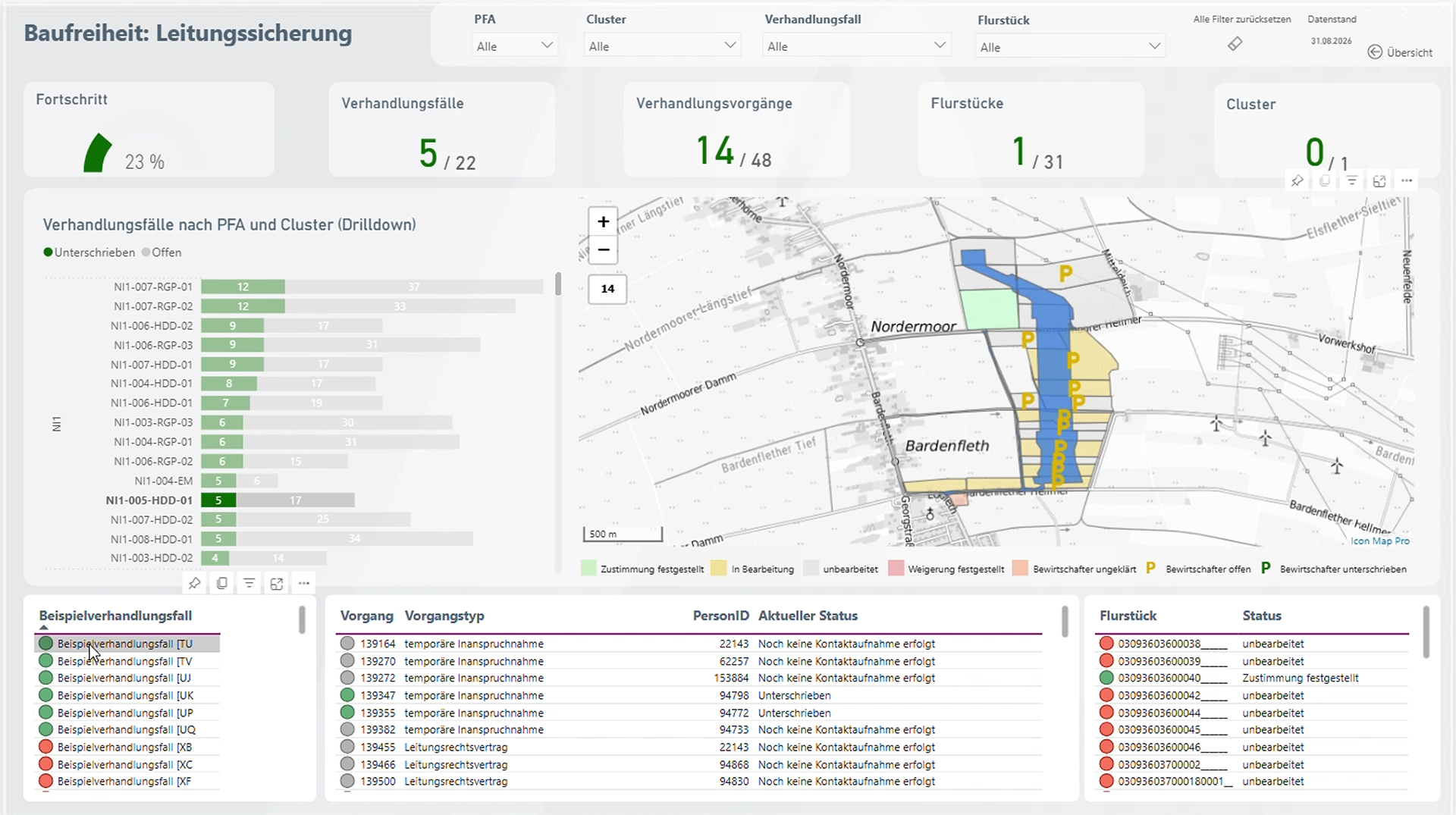
Amprion: Bringing Large-Scale Transmission Infrastructure onto a Single Map  screenshot

Amprion: Bringing Large-Scale Transmission Infrastructure onto a Single Map

Amprion is one of Germany’s four transmission system operators, responsible for operating and expanding a critical part of Germany’s high-voltage electricity grid. Among its major infrastructure programmes is the Rhein-Main-Link, a planned underground HVDC c…

Enhancing Fiber Deployment and Commercialization with Icon Map Pro at Orange Concessions screenshot

Enhancing Fiber Deployment and Commercialization with Icon Map Pro at Orange Concessions

Orange Concessions is the leading public-private fiber network operator in rural France. Through long-term public service delegation contracts, it manages a rapidly expanding network infrastructure designed to bring high-speed broadband access to underserved…

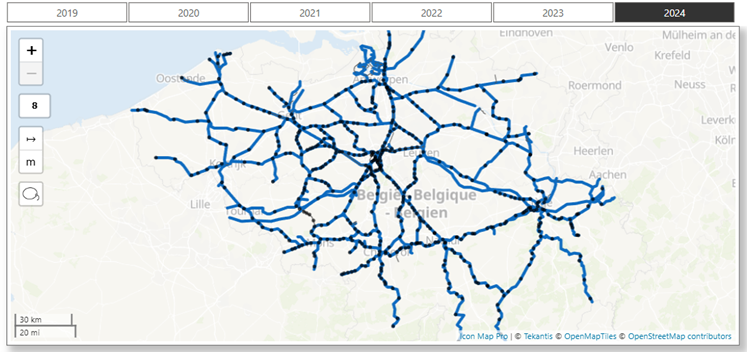
Transforming Rail Safety: The Power of Location Intelligence in Action at SNCB screenshot

Transforming Rail Safety: The Power of Location Intelligence in Action at SNCB

Safety is a cornerstone of SNCB’s operational strategy. As Belgium’s national railway operator, SNCB places significant emphasis on the safety and security of both passengers and staff. CEO Sophie Dutordoir recently stated that all employees' work "deserves r…

Optimizing Christmas Eve: How Santa Uses Icon Map to Put Every Child on the Map screenshot

Optimizing Christmas Eve: How Santa Uses Icon Map to Put Every Child on the Map

North Pole Logistics is the exclusive global operator responsible for delivering presents to children who celebrate Christmas. Operating from a single distribution center at the North Pole, the organization must reach more than 900 million homes in one extend…

Put the map in charge of your report

Register for a free developer license to build reports in Power BI Desktop, or add Icon Map Slicer from AppSource and try it with your own data today.

Read the documentation Release notes